
2026 Top 7 AI UGC Video Generators: In-Depth Testing and User Guide
Introduction:
Is your advertising budget burning through cash while conversion rates remain stagnant?
Honestly, as someone struggling on the front lines of marketing, I’ve spent most of the past year in a cycle of anxiety: daily challenges to find reliable UGC creators, haggling over the price of a 30-second video, and waiting weeks for the final materials—with results that are often disappointing. My advertising performance stagnated while my budget continued to dwindle.
Then one day, I stumbled into the world of AI UGC.
I was initially extremely skeptical. Can a robot really mimic the “realism” and “approachability” that we so desperately crave? It sounded like a pipe dream. But driven by desperation, I decided to give it a try. I aimed to find out for myself: which is the best AI UGC video generator on the market today, and can it truly produce high performing AI video ads?
This article is not just a simple list of features or a copied instruction manual. It contains my most genuine and unvarnished impressions and summaries after personally registering, paying for, and thoroughly testing seven of the most popular tools on the market over the past few weeks. My goal is singular: to guide you through the flashy marketing hype and help you find the tool that truly addresses your problems and improves your efficiency.
What Traits Define a Top-Tier AI UGC Video Generator?
After this grueling round of intensive testing, I discovered that not all tools are created equal. Some are astonishingly fast, while others produce hyper-realistic digital humans. To help you navigate the clutter, I’ve compiled my personal evaluation checklist. When choosing, these five criteria are non-negotiable:
● Realism of Digital Humans and Voices: Do you get realistic AI avatars for marketing, or a stiff robot? Can it pass various tests? Does the voice convey emotional nuance?
● Ease of Use and Workflow: For efficiency-driven users like me, this is essential. How long does it take to go from a vague idea to a finished video? Is the entire process seamless, or does it stutter at every step?
● Scripting and Customization Capabilities: How intelligent is the tool’s “brain”? Can it generate compelling scripts? (A solid AI UGC video script generator is fundamental.) How much control do I have over the video’s narrative, camera angles, and visual elements?
● Global Multilingual Support: Can the same avatar switch from speaking English to fluent Spanish in an instant, helping you effortlessly reach global markets through a Text to video UGC creator?
● Value for Money: Finally, the most practical question. Is its pricing affordable for individuals or small teams like mine? Evaluating the best cost-effective video marketing tools 2026 is key, as some require a corporate-level budget.
In-Depth Review: 7 Best AI UGC Video Generators
Here’s my honest analysis of each tool based on realism, ease of use, and value for money.
HeyGen
HeyGen is undoubtedly the current tech leader in the market. Its image clarity and lip-sync accuracy are nothing short of Hollywood-level.
Pros: Extremely lifelike facial expressions, supports Instant Avatar (clone yourself).
Cons: Its major flaw is being too “perfect.” For TikTok ads, it sometimes resembles a news anchor or corporate promo, lacking the “rough but authentic” relatability of UGC. Additionally, it is relatively expensive.
Best For: Corporate training videos, brand image promotion, SaaS product demos.
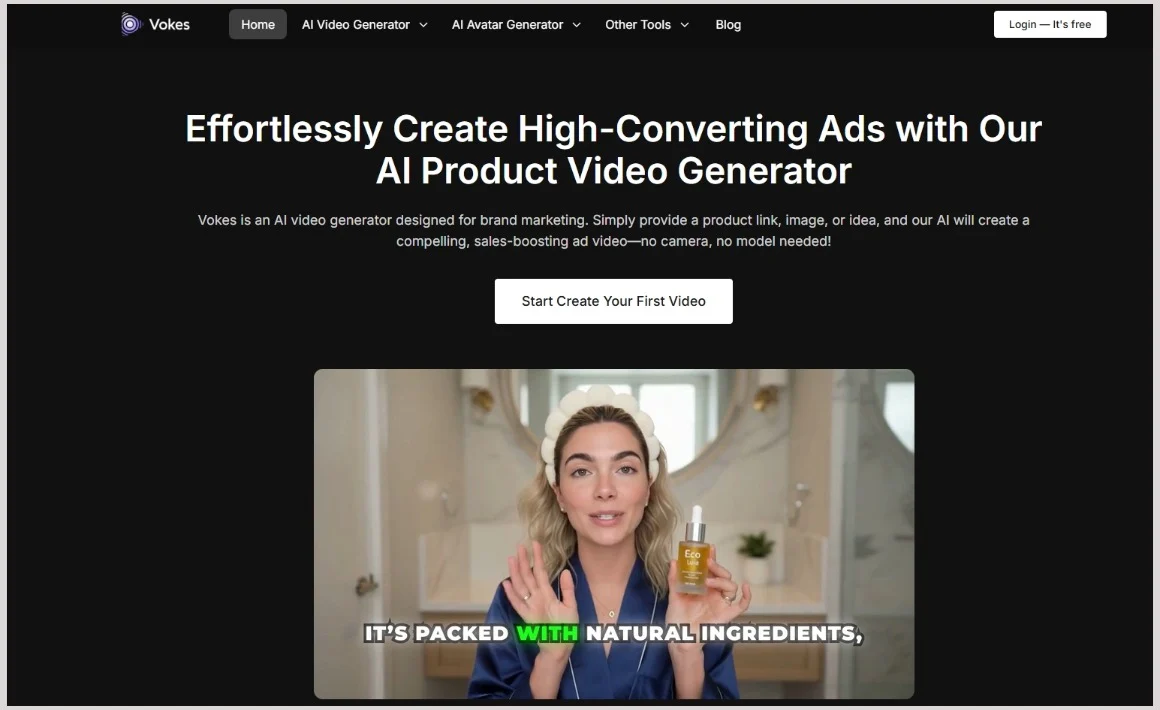
Vokes
Vokes proves exceptionally suitable for social media and marketing, featuring lifelike avatars that appear genuinely human. With support for 29 global languages and over 100+ voice tones, it offers an affordable solution that meets marketers’ needs.
Pros: Vokes’ avatars resemble authentic TikTok creators (with a distinct Gen Z style) rather than stiff salespeople. Its nuanced voice modulation accurately replicates natural pauses and intonation variations—crucial when you want to create UGC ads without actors. Additionally, rendering speeds are exceptionally fast with minimal wait times.
Cons: While the current avatar library is high-quality, its overall size is still expanding compared to industry giants.
Best For: Small to medium teams needing rapid, bulk production of high-converting UGC ads.
Arcads.ai
If you search for “Best AI UGC Ads generator” on Google, Arcads will definitely be near the top of the list. It focuses on providing actors who appear to be filming in their bedrooms with their phones.
Pros: Its main selling point is a young and fashionable actor pool that exudes an “internet vibe,” including cluttered bedroom scenes perfect for dropshipping ads.
Cons: Due to its popularity, there can be queues for video generation, and lip-syncing for some less common languages occasionally clips at extreme angles.
Best For: Fashion brands targeting the 18-25 age group.
Invideo AI
Invideo AI is more than just a portrait generator; it’s an all-in-one video editor.
Pros: It can automatically capture B-roll footage to match the text, which is helpful for videos where you prefer not to show your face throughout. It functions as a great Instagram Reels AI video maker due to its comprehensive editing suite.
Cons: In terms of pure UGC portrait simulation, its realism isn’t as strong as Arcads or Vokes, possessing a slightly stronger “AI feel.”
Best For: Long-form videos in news feeds and YouTube commentary videos.
Creatify AI
Creatify’s core function is simple: provide it with a product link (URL), and it directly generates a video.
Pros: Extremely fast; just input a Shopify link, and the ad appears, making it the ideal tool for testing viral dropshipping video ads AI at scale.
Cons: It is relatively template-heavy; the generated scripts sometimes have rigid logic and lack emotional resonance, with limited room for later customization.
Best For: Amazon sellers or independent websites using URLs for bulk distribution to e-commerce platforms.
Higgsfield
Higgsfield offers users a high degree of control over the visuals, with models excelling in motion consistency.
Pros: It provides a more cinematic experience, featuring distinctive motion generation and rich body language, suitable for ads requiring specific actions.
Cons: It has a higher difficulty level and is not suitable for those seeking “one-click generation.”
Best For: High-end ads that quickly create brand-specific content on mobile devices.
Topview AI
Topview analyzes existing popular ads and combines marketing data to generate videos, enabling you to “copy” their successful formula.
Pros: It offers script structure suggestions based on big data, which is a lifesaver for those lacking script inspiration.
Cons: The higher decision-making cost can be challenging for small teams; sometimes, the generated videos become highly homogenized, and in competitive categories, they are easily overlooked by users.
Best For: Large marketing teams with substantial budgets seeking creative inspiration and ad script structures.
Simple Comparison Guide and Usage Cost Analysis
With so many Best AI UGC video generators, which one should you choose? To save you time, I've compiled this "Detailed User Experience Table" for the 7 core tools reviewed in this evaluation.
|
Tool Name |
Realism |
Ease of Use |
Price |
Best Use Case |
|
HeyGen |
⭐⭐⭐⭐⭐ |
⭐⭐⭐⭐ |
High |
Corporate Image, Formal Voiceovers, SaaS Demos |
|
Vokes AI |
⭐⭐⭐⭐ |
⭐⭐⭐⭐⭐ |
Low |
TikTok Ads, Bulk UGC, Viral Content |
|
Arcads.ai |
⭐⭐⭐⭐ |
⭐⭐⭐⭐ |
Mid |
Fashion/Beauty E-commerce, Gen Z Audience |
|
Creatify AI |
⭐⭐⭐ |
⭐⭐⭐⭐⭐ |
Mid |
URL to Video, Rapid Product Placement |
|
Invideo AI |
⭐⭐⭐ |
⭐⭐⭐⭐⭐ |
Low |
YouTube Shorts, Faceless Channels |
|
Higgsfield |
⭐⭐⭐⭐ |
⭐⭐⭐ |
Mid |
Creative Directing, Highly Customizable Motion Control |
|
Topview AI |
⭐⭐⭐⭐ |
⭐⭐⭐⭐ |
High |
Data-driven team, large-scale brand campaigns |
Practical Tutorial: How to Create UGC Ad Videos with AI in 5 Minutes
Many readers ask, “Are AI-generated videos really usable? Is the process complicated?”
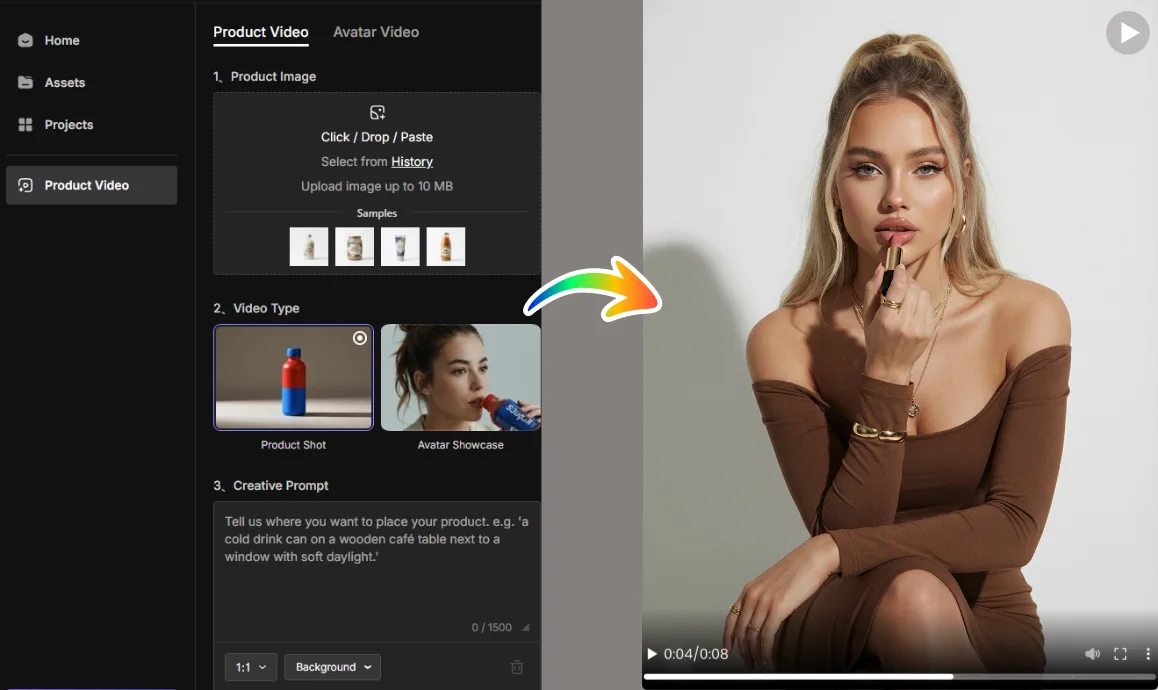
To demonstrate the power of text to video UGC creators, I will use Vokes as an example, as its workflow aligns well with standard UGC ad creation logic. Here’s how to create an AI UGC video for TikTok Ads from scratch.
Step 1: Choose Your Avatar
After logging into the Vokes platform, select an avatar that matches your audience. For instance, if you’re selling beauty products, choose a female avatar in her early 20s set against a cozy bedroom or vanity background. Vokes offers detailed categories, allowing you to filter for “TikTok Style.”
Step 2: Craft the Script
This is the most critical step. If you have a pre-written script, simply paste it in. If you need inspiration, use Vokes’ built-in AI script writer. Enter your product’s selling point (e.g., waterproof eyeliner for only $10), and let the AI generate a script with a “Viral Hook.”
Pro Tip: Include colloquialisms like “Honestly,” and “Guys, look at this,” to make the AI sound more natural.
Step 3: Adjust Voice & Emotion
In Vokes’ editor, avoid using the default voice. Explore different tones and select one that is energetic or friendly. You can also manually adjust the speaking speed; UGC ads typically benefit from a slightly faster pace to maintain the audience’s attention.
Step 4: Generate & Export
Click “Generate.” In the time it takes to sip water, your AI UGC video for TikTok Ads will be ready for download, or you can share it directly. You can also add automatic captions and popular background music using CapCut. This process allows you to produce high-quality ads without the need for cameras or lighting.
summary
After reviewing numerous top AI UGC ad generators of 2026, it’s clear that tools are just aids; creativity is key. No matter how powerful a tool is, it can’t replace your understanding of your audience. HeyGen is ideal for brand endorsements, while Arcads and Vokes are effective for driving ad conversions.
I don’t recommend relying entirely on AI, but if you haven’t started using AI in your creative process, your competitors — those who can create UGC ads without actors and produce 20 videos a day—may soon outpace you.
My advice? Don’t rush into paying for an annual fee. Try a free trial of Vokes or Arcads, create two videos, and conduct an A/B test. The data will reveal which tool best suits your business.
Get started! Your next viral video might just require one more click!
